
For small business
Coffee shops, stores, cafes, and production teams without extra complexity.
Sales, stock, staff, and reports in one cloud workspace
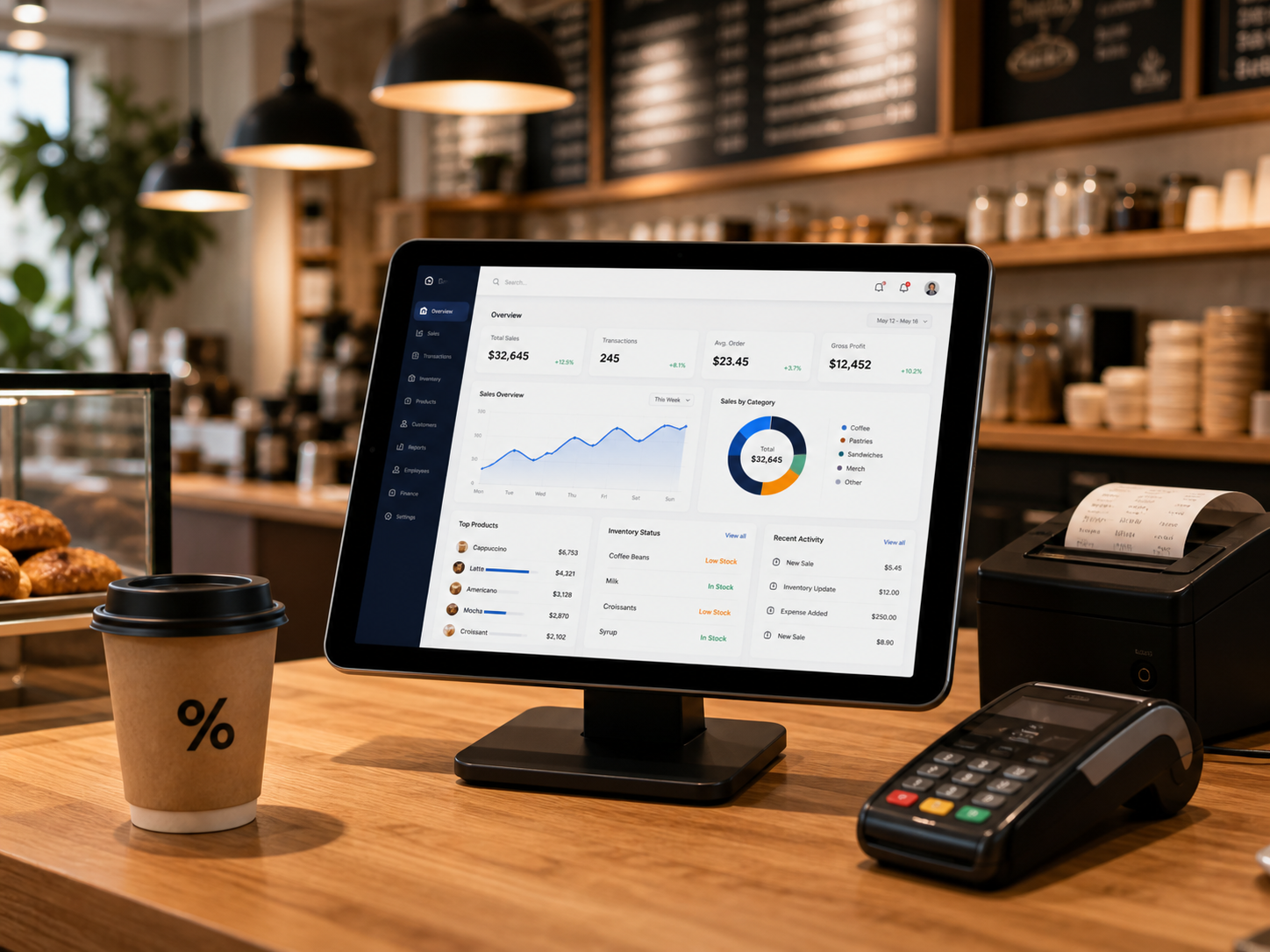
Coffee shops, stores, cafes, and production teams without extra complexity.
Create a company and location, then prepare basic accounting for the first check.
MultiChek runs in the browser and keeps data available on the right devices.
Staff roles, store-level access, and a history of important actions.
During early access, we help with initial setup and checking key workflows.
Receipts, returns, debts, discounts, and employee operation history.
Receipts, write-offs, transfers, minimum stock, and revisions.
Access rights, shifts, cashiers, owners, and store-level work.
Revenue, profit, expenses, top products, and sales dynamics.
Cash, card payments, expenses, collections, and money movement.
Role separation, access control, and a history of important actions.
Create a company, add products and staff, then check sales and stock without linking a card.
MultiChek combines POS software, product accounting, inventory management, and sales reports. Owners can see stock, revenue, shifts, expenses, and profit without separate spreadsheets or manual reconciliation.
MultiChek helps process sales, receipts, returns, discounts, and cashier shifts in one browser workspace. It fits teams looking for an online cash register, POS system, or store POS without complex installation.
The system helps manage product cards, categories, prices, stock levels, and warehouse movement. This covers product accounting, inventory management, and minimum stock control.
Coffee shops, cafes, and bakeries need shifts, ingredients, recipes, write-offs, and daily revenue in one flow. MultiChek connects POS, inventory, and reports so owners can see location profit.
Beyond sales, MultiChek shows expenses, money movement, staff roles, and analytics. It is useful for small businesses that need sales tracking, finance accounting, and team control.
Create an owner account and enter your workspace.
Add your business name, first trading point, and warehouse.
Set up categories, prices, stock, roles, and team access.
Process sales and control cash, inventory, and finance online.
No software installation or complex implementation needed: registration, company, store, and first products.
For stores that need clear inventory, sales, and money tracking without manual spreadsheets.
For venues where every shift, ingredient, and receipt affects profit.
For production teams that need to count raw materials, output, and write-offs without losses.
Choose your business format, and the price will recalculate by stores and cash registers.
A small store, coffee shop, or retail point
The price is calculated for the selected trading points and cash registers.
Cafe, bakery, store, or several locations
The price is calculated for the selected trading points and cash registers.
A chain of stores and a growing business
The price is calculated for the selected trading points and cash registers.
The price is approximate and shown per month. You can start with a 14-day free trial without linking a card.
Short answers to the main questions businesses ask before launching POS sales, product accounting, and reports.
Yes. You get a 14-day free period to test sales, inventory, staff, and reports on your business.
Yes. MultiChek helps process sales, control shifts, returns, discounts, cashiers, and location reports.
Yes. The system supports products, categories, stock levels, receipts, write-offs, transfers, minimum stock, and revisions.
Yes. You can run POS sales, control shifts, staff, ingredients, write-offs, and daily revenue.
No. MultiChek works in the browser: open the site, sign in, and continue from the device you need.
Yes. You can open the workspace from a phone, tablet, or laptop. It is convenient for owners, managers, and store employees.
Yes. Add employees, configure roles, and limit access to the sections and stores they need.
MultiChek supports store-level work: sales, stock, employees, and reports can be viewed separately or as one business picture.
Use password recovery on the sign-in form. Enter your email, and the system will send a link to create a new password.
Full access to the selected plan's features. No card required to start.


